Fix Ugly Product Photo Backgrounds in 1 Click (Free AI Tool)
Product photo backgrounds look messy or unprofessional? Learn how to remove and replace backgrounds instantly with AI — no Photoshop needed. Compare 5 methods and find the fastest solution for e-commerce sellers.
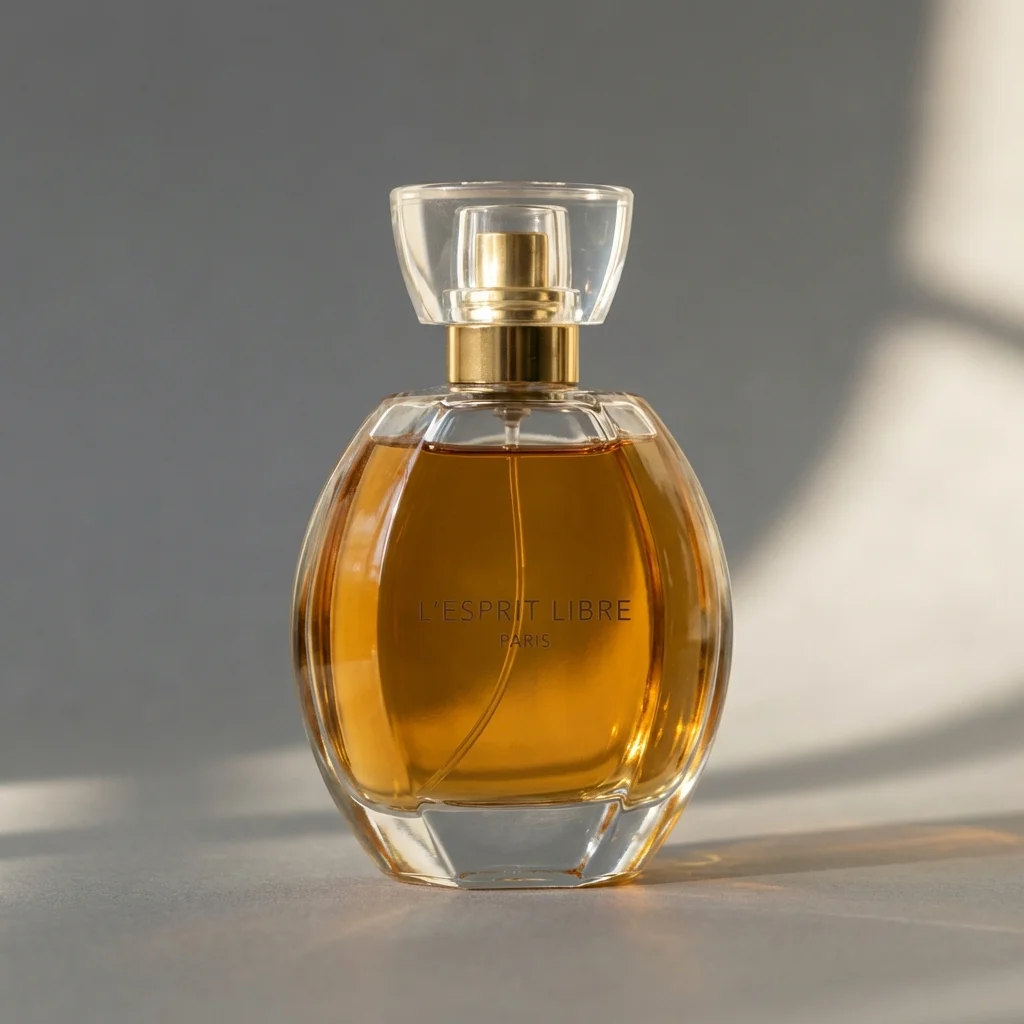
Your product looks great in person. But in the photo? The kitchen counter shows scratches. There’s a random charging cable in the corner. The shadow from your desk lamp creates an ugly dark spot.
You know a clean background would make a huge difference. But opening Photoshop, learning the pen tool, spending 20 minutes selecting edges… multiply that by 50 products and you’ve lost an entire weekend.
There’s a faster way. AI can fix your product photo backgrounds in literally 1 click — and the results are better than most manual edits.
Why Backgrounds Matter More Than You Think
Background quality directly impacts your bottom line:
| Background Type | Effect on Sales |
|---|---|
| Messy/cluttered | -40% click-through rate |
| Plain white | Baseline (meets platform requirements) |
| Professional scene | +30-60% engagement on social platforms |
| Consistent brand style | +25% overall store conversion |
And it’s not just about aesthetics. Amazon will suppress or remove listings with non-white main image backgrounds. Walmart, eBay, and most major marketplaces have similar rules.
5 Ways to Fix Product Photo Backgrounds
Method 1: Photoshop (Manual)
Time: 15-30 minutes per image Cost: $264/year (Creative Cloud subscription) Quality: ★★★★★ (if you’re skilled)
The gold standard — but requires significant skill and time. Complex edges (hair, fur, lace) can take 45+ minutes even for experienced editors.
Best for: Professional designers, brand teams with in-house editors.
Method 2: Hire a Freelancer
Time: 1-3 days turnaround Cost: $5-20 per image Quality: ★★★★
Reliable quality, but slow and expensive at scale. 100 images = $500-2,000.
Best for: Mid-size sellers with budget and time flexibility.
Method 3: Free Online Removers (remove.bg, etc.)
Time: 5 seconds Cost: Free (with limitations) Quality: ★★★
Good for basic background removal, but:
- Free versions limit resolution (often 640px — too small for Amazon)
- No scene generation — just transparent or white backgrounds
- No lighting adjustment — product “floats” unnaturally on new backgrounds
- Edge quality varies (halos around complex edges)
Best for: Quick social media posts, non-critical uses.
Method 4: AI Virtual Studio (Recommended)
FocalFlow’s AI Virtual Studio goes beyond simple background removal. It:
- Removes the existing background with precision edge detection
- Generates a new professional scene (marble, wood, gradient, custom)
- Adjusts lighting, shadows, and color to match the new background
- Enhances overall image quality and resolution
Time: 3-5 seconds per image Cost: ~$0.20 per image Quality: ★★★★
Best for: All e-commerce sellers who want fast, professional results.
Method 5: AD-CLONE Style Transfer
If you want to match a specific visual aesthetic — say, the look and feel of a competitor’s bestselling listing — AD-CLONE can replicate that entire visual style onto your product.
Best for: Sellers who want to match competitor quality.
Quick Comparison
| Method | Cost/Image | Speed | Background Options | Light Matching |
|---|---|---|---|---|
| Photoshop | ~$0 (sub cost) | 15-30 min | Unlimited | Manual |
| Freelancer | $5-20 | 1-3 days | Limited | Yes |
| Free removers | Free | 5 sec | White/transparent only | No |
| AI Virtual Studio | ~$0.20 | 3-5 sec | White, scene, custom | Automatic |
| AD-CLONE | ~$0.30 | 30 sec | Reference-based | Automatic |
How to Fix Backgrounds with AI (Step-by-Step)
Step 1: Prepare Your Image
Any product photo works, but cleaner inputs produce better outputs:
- Best: Product on a plain surface with decent lighting
- Good: Product on a cluttered desk with natural light
- Acceptable: Product with complex background, some shadows
Even “bad” photos work — AI is remarkably good at isolating products from messy environments.
Step 2: Upload to AI Virtual Studio
- Open FocalFlow AI Virtual Studio
- Upload your product photo (JPG, PNG, or WebP)
- AI automatically detects and isolates the product
Step 3: Choose Your New Background
| Background | Best For | Platform |
|---|---|---|
| Pure white | Amazon main image, Walmart, eBay | Marketplaces |
| Light gradient | Shopify store, brand website | D2C sites |
| Marble surface | Skincare, jewelry, luxury items | Instagram, Pinterest |
| Wood/linen | Food, home goods, handmade | Etsy, social media |
| Lifestyle scene | Context shots, social content | TikTok Shop, Instagram |
| Custom prompt | Specific brand requirements | Any |
Step 4: Download and Use
Your processed image is ready to upload directly to any platform. Resolution and format meet all major marketplace requirements.
Real-World Impact: Before vs. After
Visit our Showcase page for real before/after comparisons.
Common transformations:
- Cluttered desk → Clean white background (Amazon-ready)
- Kitchen counter → Marble surface with soft shadows (luxury feel)
- Random fabric → Professional gradient with studio lighting
- Outdoor shot → Controlled indoor scene with consistent branding
Platform Background Requirements
| Platform | Main Image | Secondary Images | Notes |
|---|---|---|---|
| Amazon | Pure white (mandatory) | Any | Non-compliance = listing suppression |
| Walmart | White (strongly recommended) | Any | White backgrounds rank higher |
| eBay | White (recommended) | Any | White = more views/clicks |
| Shopify | Any | Any | Consistency matters most |
| Etsy | Any | Any | Lifestyle shots perform best |
| TikTok Shop | Any | Any | Action/lifestyle preferred |
Batch Processing Tips
When processing large catalogs (50+ images):
- Group by category — Use the same background template for similar products
- Start with main images — These drive click-through rate
- Test 2-3 backgrounds — A/B test different styles to find what converts best
- Maintain consistency — Use the same background style across your entire store
Summary
Ugly product photo backgrounds are the easiest problem to solve in e-commerce — and also one of the most impactful.
With FocalFlow AI Virtual Studio:
- ✅ 1-click background removal and replacement
- ✅ Automatic lighting and shadow matching
- ✅ White, scene, or custom backgrounds
- ✅ Batch processing for large catalogs
- ✅ Meets all marketplace requirements
Stop spending hours in Photoshop. Stop paying $20 per image to freelancers. Fix your backgrounds in 1 click.
👉 Try FocalFlow Free — Fix Product Photo Backgrounds in 1 Click