Free AI Prompt Generator for Midjourney & DALL-E
Generate perfect Midjourney, DALL-E & Stable Diffusion prompts in seconds. Free tool with 1246+ elements, 3 generation modes. No signup needed. Try it now!
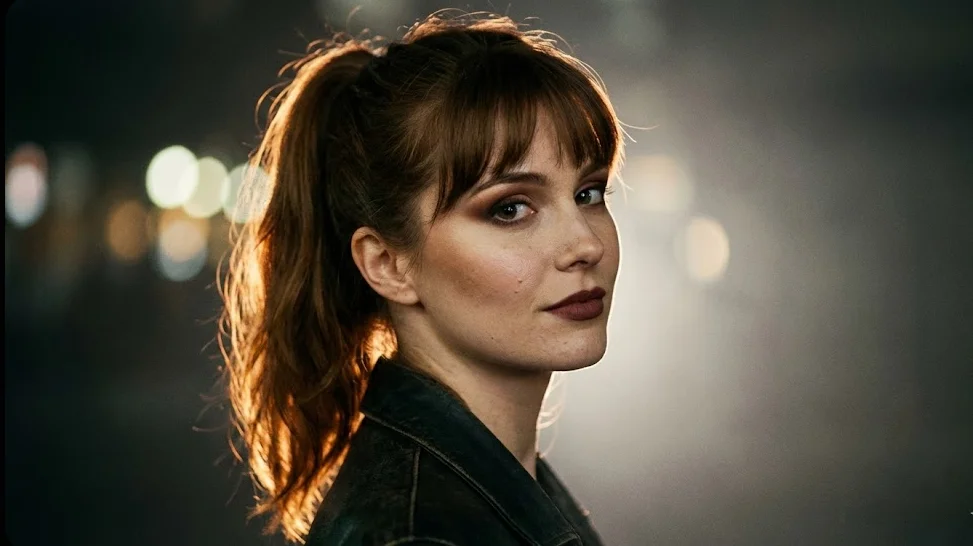
Free AI Prompt Generator: Create Perfect Midjourney & DALL-E Prompts
An AI prompt generator is a free online tool that automatically creates optimized text descriptions (prompts) for AI image generation platforms like Midjourney, DALL-E, and Stable Diffusion. Instead of struggling to find the right words, you simply describe your idea and the generator produces a professionally structured prompt with lighting, composition, style, and technical parameters.
Quick Answer: The FocalFlow AI Prompt Generator is a free tool with 1246+ elements across 7 domains. It offers 3 generation modes (Portrait, Cross-Domain, Design) and works with Midjourney, DALL-E 3, Stable Diffusion, and more. No signup required.
Struggling to write prompts that produce stunning AI-generated images? You’re not alone. The difference between a mediocre AI image and a breathtaking one often comes down to prompt quality. Professional prompt engineers spend years mastering the art of describing exactly what they want - the right lighting terms, composition keywords, style references, and technical parameters.
But what if you could access that expertise instantly, for free?
The FocalFlow AI Prompt Generator is a powerful free tool built on a library of 1246+ curated elements that helps you create professional-grade prompts in seconds. Whether you’re creating content for Midjourney, DALL-E 3, Stable Diffusion, or any other AI image generator, this guide will show you how to dramatically improve your results.
TL;DR: Our free AI Prompt Generator uses a 1246+ element library across 7 domains to create optimized prompts for any AI image tool. Three generation modes (Portrait, Cross-Domain, Design) cover everything from cinematic portraits to product photography to graphic design. No signup required. Try it free →
Table of Contents
- Why Prompt Quality Matters
- How the AI Prompt Generator Works
- Three Generation Modes Explained
- The Universal Elements Library
- Best Practices for AI Prompts
- Platform-Specific Tips
- Common Prompt Mistakes to Avoid
- Getting Started
Why Prompt Quality Matters
The same AI model can produce vastly different results based on how you describe what you want. Consider these two prompts for the same concept:
Basic prompt:
“woman in a garden”
Optimized prompt:
“Cinematic portrait of elegant Asian woman in her 30s, standing in a sunlit English rose garden, golden hour lighting, shallow depth of field, shot on 85mm lens, soft bokeh background, warm color grading, editorial fashion photography style”
The second prompt gives the AI specific guidance on:
- Subject details (age, ethnicity, pose)
- Environment (English rose garden, sunlit)
- Lighting (golden hour, warm)
- Technical specs (85mm lens, shallow DOF, bokeh)
- Style reference (editorial fashion photography)
The result? A dramatically more professional, intentional image that matches your creative vision.
The Knowledge Gap Problem
Most people know what they want to see but lack the vocabulary to describe it effectively. You might want “that cinematic look” but not know it requires terms like “anamorphic lens flare,” “teal and orange color grading,” or “film grain texture.”
This is where an AI prompt generator becomes invaluable - it bridges the gap between your vision and the technical language AI models understand.
How the AI Prompt Generator Works
The FocalFlow Prompt Generator uses a sophisticated system built on three core technologies:
1. Universal Elements Library (1246+ Elements)
Our curated database contains over 1,246 proven elements across 7 professional domains:
| Domain | Elements | Use Cases |
|---|---|---|
| Portrait | 502 | Human photography, headshots, fashion |
| Common | 205 | Lighting, composition, camera settings |
| Design | 155 | Graphic design, posters, cards |
| Product | 77 | E-commerce, product photography |
| Art | 51 | Artistic styles, painting techniques |
| Video | 49 | Motion graphics, cinematography |
| Interior | 206 | Architecture, room design |
Each element has been tested across multiple AI platforms to ensure consistent, high-quality results.
2. Intelligent Semantic Understanding
The generator doesn’t just randomly combine elements. It uses semantic analysis to:
- Understand context: Distinguishes between subject, style, and mood
- Apply common sense: Automatically infers logical attributes (e.g., ethnicity → appropriate eye colors)
- Check consistency: Detects and corrects logical conflicts
- Optimize structure: Arranges elements in the order AI models process most effectively
3. Framework-Driven Generation
All prompts follow a proven structure based on prompt_framework.yaml:
[Subject] + [Environment] + [Lighting] + [Style] + [Technical] + [Mood]
This ensures every generated prompt includes the essential components for professional results.
Three Generation Modes Explained
Different creative projects require different approaches. Our generator offers three specialized modes:
Portrait Mode
Best for: Human photography, headshots, fashion, editorial
Elements used: 502 portrait-specific elements
Features:
- Ethnicity-aware attribute suggestions
- Age-appropriate styling
- Professional lighting setups (Rembrandt, butterfly, split)
- Fashion and editorial references
- Skin tone and makeup considerations
Example output:
“Editorial portrait of confident African American businesswoman in her 40s, wearing tailored navy blazer, Rembrandt lighting with soft fill, shot against minimalist gray backdrop, medium format camera aesthetic, sharp focus on eyes, professional headshot composition, warm skin tones, subtle rim light on hair”
Cross-Domain Mode
Best for: Complex scenes, conceptual art, mixed environments
Elements used: 995 elements from multiple domains
Features:
- Automatic domain detection and combination
- Scene complexity handling
- Environment + subject + style fusion
- Creative concept interpretation
Example output:
“Surreal product photography of luxury perfume bottle floating in misty forest clearing, volumetric god rays through ancient trees, macro water droplets on glass surface, fantasy atmosphere meets commercial photography, 4K product render quality, dramatic chiaroscuro lighting”
Design Mode
Best for: Posters, social media graphics, cards, marketing materials
Elements used: 155 design elements + 200,000+ color combinations
Features:
- 37 curated color schemes
- Typography suggestions
- Layout composition guides
- Brand style matching
- Border and decorative elements
Example output:
“Minimalist poster design, Apple-inspired aesthetic, clean sans-serif typography, coral and white color scheme (#FF6B6B, #FFFFFF), generous negative space, centered product placement, subtle drop shadow, premium feel, Instagram-ready 4:5 aspect ratio”
The Universal Elements Library
What makes our prompt generator different is the depth and quality of our element library. Here’s a deeper look at what’s included:
Portrait Elements (502)
Subjects:
- Age ranges (child, teen, young adult, middle-aged, elderly)
- Ethnicities with appropriate attribute mappings
- Body types and poses
- Expressions and emotions
Styling:
- Hair styles, colors, and textures
- Makeup looks (natural, editorial, dramatic)
- Clothing categories and styles
- Accessories and props
Photography:
- Portrait lighting setups
- Lens recommendations
- Composition rules
- Background options
Common Photography Elements (205)
Lighting:
- Natural light scenarios (golden hour, blue hour, overcast)
- Studio setups (softbox, ring light, beauty dish)
- Creative lighting (neon, practical lights, mixed)
- Light quality descriptors (soft, hard, diffused, specular)
Technical:
- Camera and lens specifications
- Depth of field controls
- Focus techniques
- Film stock emulations
Composition:
- Rule of thirds, golden ratio
- Leading lines, framing
- Symmetry, patterns
- Negative space usage
Product Photography Elements (77)
Perfect for e-commerce sellers looking to create professional product images:
- Surface materials (marble, wood, fabric, acrylic)
- Background styles (gradient, solid, lifestyle)
- Prop suggestions by product category
- Reflection and shadow techniques
- Hero shot compositions
Design Elements (155)
Color Systems:
- 37 curated palettes (minimalist, vibrant, corporate, playful)
- Color psychology mappings
- Contrast and harmony rules
Typography:
- Font pairing suggestions
- Hierarchy guidelines
- Readability optimization
Layout:
- Grid systems
- White space ratios
- Visual flow patterns
Best Practices for AI Prompts
Even with a generator, understanding prompt principles helps you customize and improve results:
1. Be Specific, Not Vague
| Instead of… | Use… |
|---|---|
| “beautiful woman" | "elegant woman in her 30s with defined cheekbones" |
| "nice lighting" | "soft Rembrandt lighting with warm fill" |
| "good quality" | "8K resolution, sharp focus, professional photography” |
2. Order Matters
AI models typically process prompts left-to-right, giving more weight to earlier terms:
[Most Important] → [Important] → [Details] → [Style] → [Technical]
Example structure:
“[Subject and action], [environment], [lighting], [mood/atmosphere], [style reference], [technical specs]“
3. Use Style References
Referencing known styles helps AI understand your vision:
- “in the style of Annie Leibovitz”
- “Wes Anderson color palette”
- “Apple product photography aesthetic”
- “Vogue editorial look”
4. Include Technical Parameters
Technical terms signal professional quality:
- Camera: “shot on Hasselblad,” “85mm f/1.4”
- Lighting: “three-point lighting,” “rim light”
- Post-processing: “film grain,” “teal and orange grade”
- Quality: “8K,” “hyperdetailed,” “photorealistic”
5. Negative Prompts (When Supported)
Some platforms support negative prompts to exclude unwanted elements:
Negative: “blurry, low quality, distorted, watermark, text, logo”
Platform-Specific Tips
Different AI platforms have unique strengths and syntax preferences:
Midjourney
Strengths: Artistic quality, stylization, aesthetic appeal
Tips:
- Use
--arfor aspect ratio (e.g.,--ar 16:9) - Add
--v 6for latest version - Use
--style rawfor more literal interpretation - Add
--q 2for higher quality
Example:
“Cinematic portrait of warrior queen, dramatic lighting, fantasy art —ar 2:3 —v 6 —style raw”
DALL-E 3
Strengths: Prompt following, text rendering, photorealism
Tips:
- Be very descriptive - DALL-E follows instructions closely
- Specify “photorealistic” or “illustration” explicitly
- Include composition details
- Works well with longer, detailed prompts
Example:
“Photorealistic product photography of a sleek smartphone floating above a reflective black surface, soft gradient lighting from above, minimalist composition, Apple-style aesthetic, 4K commercial quality”
Stable Diffusion
Strengths: Customization, fine-tuning, specific styles
Tips:
- Use weighted syntax:
(important element:1.3) - Reference specific models/checkpoints
- Include quality tags:
masterpiece, best quality, highly detailed - Use negative prompts extensively
Example:
“(masterpiece, best quality:1.2), portrait of elegant woman, (soft studio lighting:1.1), shallow depth of field, 85mm lens, film grain”
Common Prompt Mistakes to Avoid
1. Being Too Vague
❌ “A nice photo of a product” ✅ “Minimalist product photography of white ceramic vase on marble surface, soft natural window light from left, shallow depth of field, clean white background, commercial catalog style”
2. Contradictory Elements
❌ “Bright sunny day with dramatic dark shadows and soft diffused lighting” ✅ “Golden hour sunlight creating long dramatic shadows, warm color temperature”
3. Overloading with Keywords
❌ “Beautiful amazing stunning gorgeous incredible fantastic wonderful spectacular” ✅ “Elegant, refined, sophisticated aesthetic with attention to detail”
4. Ignoring Aspect Ratio
❌ Generating square images for Instagram Stories ✅ Specifying “9:16 vertical format for Instagram Stories”
5. Missing Style Context
❌ “Photo of coffee cup” ✅ “Lifestyle flat lay photography of artisan coffee cup, cozy autumn morning aesthetic, warm earth tones, Instagram-worthy composition, natural daylight”
Getting Started (Free)
Ready to create professional AI prompts? Here’s how to get started:
Step 1: Access the Tool
Visit FocalFlow Prompt Generator - no signup or credit card required.
Step 2: Describe Your Vision
Enter a simple description of what you want to create. Don’t worry about being perfect - the generator will enhance your input.
Examples:
- “Professional headshot for LinkedIn”
- “Product photo of skincare bottle”
- “Fantasy portrait of elf warrior”
- “Minimalist poster for tech startup”
Step 3: Select Your Mode
Choose the generation mode that matches your project:
- Portrait for human subjects
- Cross-Domain for complex scenes
- Design for graphics and marketing
Step 4: Generate and Customize
Click generate to receive your optimized prompt. You can:
- Copy directly to your AI tool
- Customize specific elements
- Regenerate for variations
Step 5: Use Across Platforms
The generated prompts work with:
- Midjourney
- DALL-E 3
- Stable Diffusion
- Leonardo AI
- Adobe Firefly
- And more…
Why Choose FocalFlow Prompt Generator?
| Feature | FocalFlow | Other Generators |
|---|---|---|
| Element Library | 1246+ curated | Usually < 100 |
| Generation Modes | 3 specialized | Usually 1 generic |
| Domain Coverage | 7 professional | Usually 1-2 |
| Color Combinations | 200,000+ | Limited or none |
| Semantic Understanding | Yes | Rarely |
| Consistency Checking | Yes | No |
| Price | Free | Often paid |
| Signup Required | No | Usually yes |
Combine with FocalFlow AI Studio
For even better results, use your generated prompts with FocalFlow AI Studio to generate professional product photography and clone successful ad styles.
Start Creating Better AI Images Today
The gap between amateur and professional AI-generated images isn’t talent - it’s prompt quality. With the right vocabulary and structure, anyone can create stunning visuals.
Try the Free Prompt Generator →
No signup. No credit card. Just better prompts, instantly.
Related Resources
- AI Ad Clone Tool Guide - Clone winning ad styles with AI
- Shopify Product Image Optimization - Boost your Shopify sales
- E-commerce Visual Design Guide 2026 - Complete visual strategy
- Small Business Product Photography on a Budget - DIY tips
- Midjourney Official Documentation - Learn Midjourney parameters
Keywords: AI prompt generator, Midjourney prompts, DALL-E prompts, Stable Diffusion prompts, AI image generation, prompt engineering, free prompt tool, image prompt creator, AI art prompts, text to image prompts